
Together Link - now in beta
Use open models in your harness
Pair your favorite coding agent with affordable open models. Together Link helps you track usage and keep costs down.



Why use Together Link?
Your agents running on open models, with transparent pricing.
Keep the harness you already know
Claude Code, Claude Desktop, Codex in the ChatGPT app, OpenCode, and Pi. Your login, settings, history, and habits stay exactly where they are.
Cut agent spend by over 50%
Open models cost a fraction of closed frontier APIs per token. Moving your team's everyday coding work onto them cuts the bill by more than half.
Get frontier quality on models you control
GLM 5.3, Kimi K3, DeepSeek V4.1 Flash, and MiniMax M3 handle real coding work at frontier level. With open weights they're fully in your control.
Access leading open frontier models
Auto Router is the default. Or pick a model yourself, right from your agent’s model menu.
Routes every Session
Auto Router

$3.00 in · $15.00 out
Kimi K3

$1.40 in · $4.40 out
GLM 5.3

$0.30 in · $1.20 out
MiniMax M3
$0.30 in · $1.20 out
DeepSeek V4.1 Flash
Built for how you already work
Pick from a collection of top open models and run them in the harness you use with one line of code.

Automatic routing
 Per-session routingLower costFrontier when needed
Set the model to Auto. The router weighs initial session tasks on their way through: quick work goes to GLM 5.3 and harder problems get Opus 5.5.

One-command setup
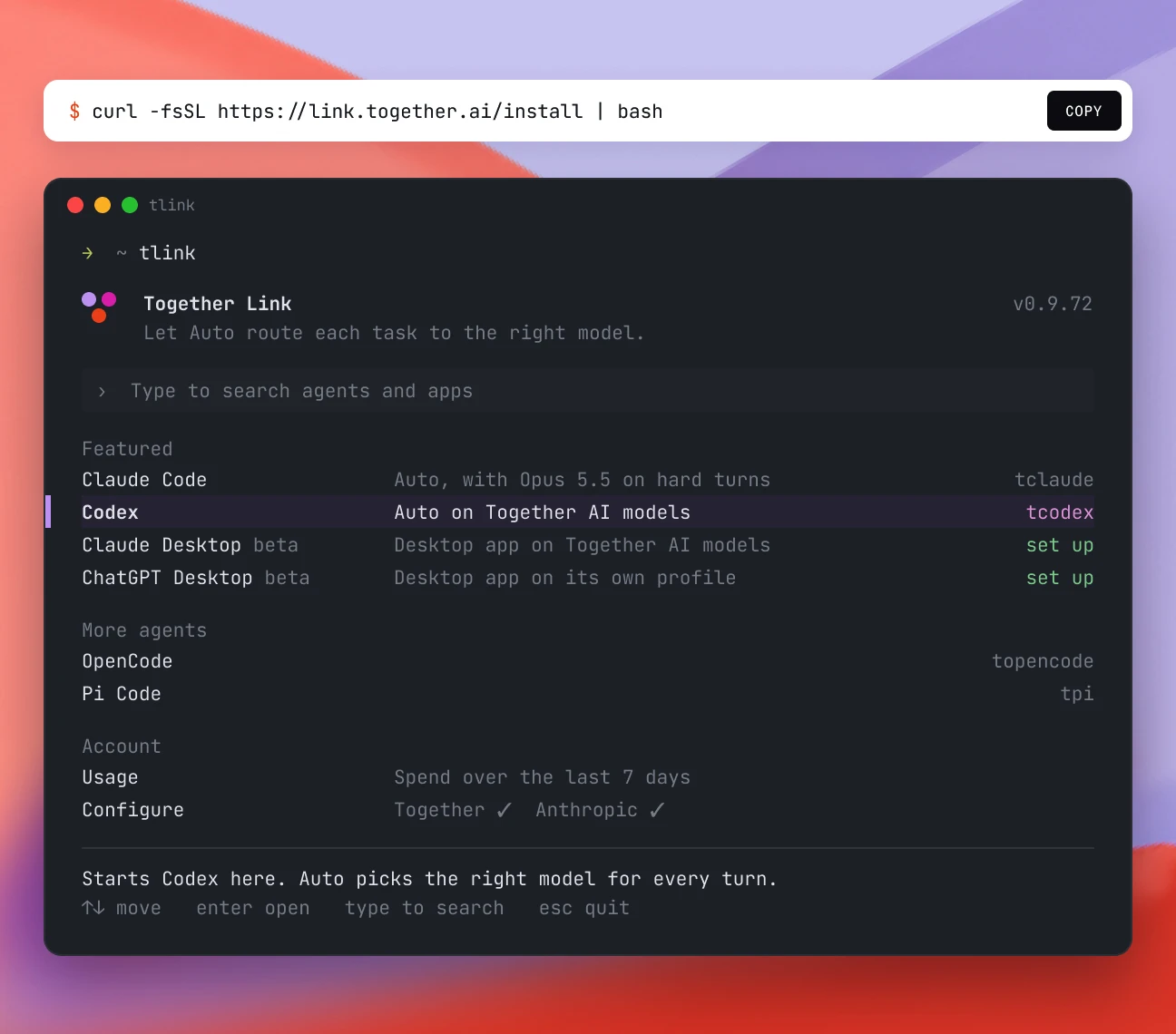
One pastesix agentsNo config editsInstall it in one quick command, then run Together Link in your terminal to launch your agent

A receipt for every session
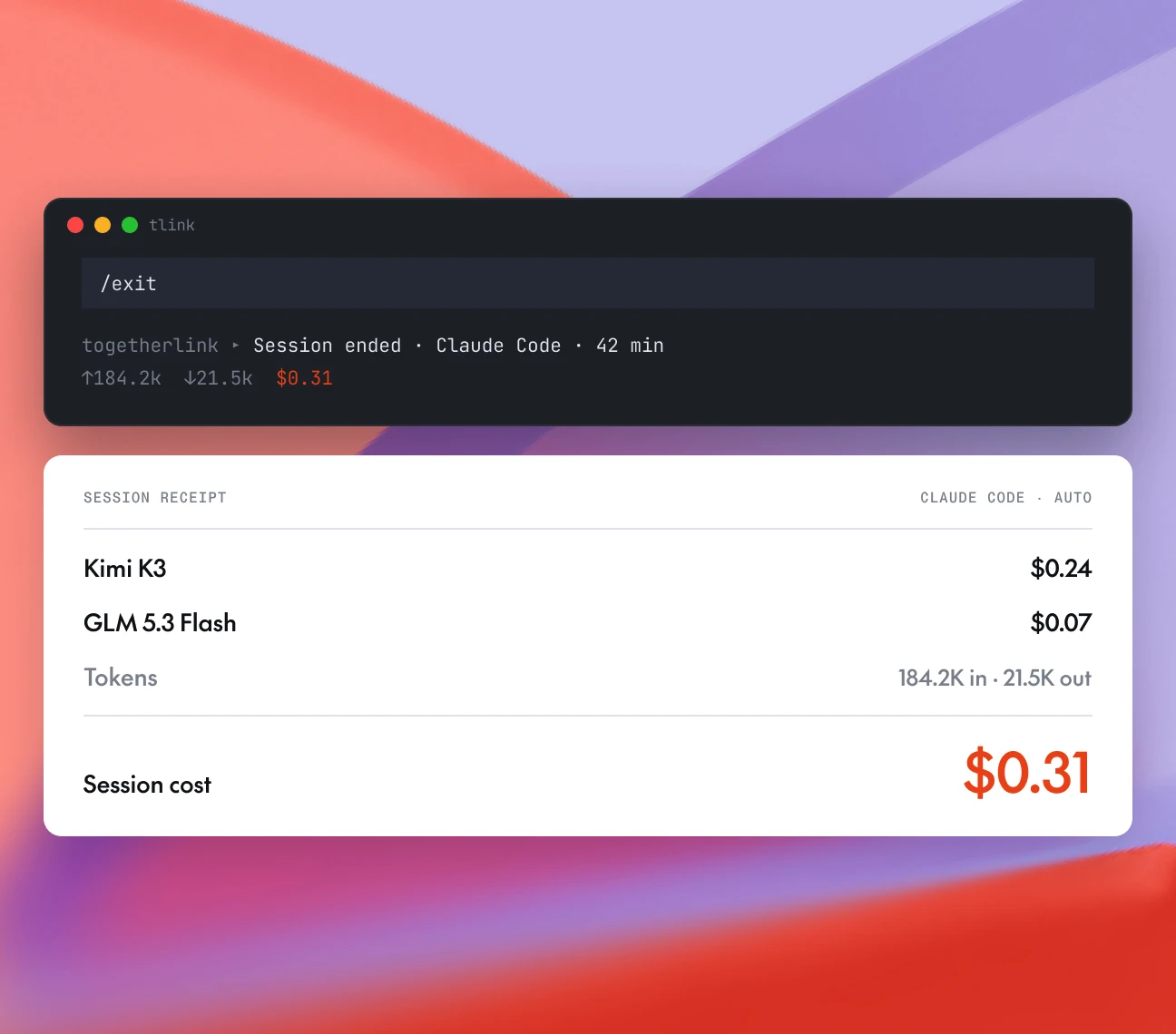
Token totalsDollar totalsUsage reportEvery proxied session prints its token and dollar totals when you leave, and the usage report shows the last seven days of spend.

Switch back anytime
Reversible profileConfig untouchedOne commandEasily switch back and forth from Together Link to your own setup
Pick your harness
Configure your harness with open models in seconds.

Claude Code
Our gateway translates Claude Code’s traffic to Together. You stay signed in, and the session prints its cost on exit.
What you keep

Your Claude Code login and subscription

~/.claude settings, memory, and history

Web search, via an optional Exa key

Claude Desktop
One command installs a reversible profile and reopens the app with the Together lineup in its model menu for Chat, Cowork, and Code alike.
What you keep
Your Claude login, projects, and chats
Your Desktop preferences and existing Claude Code setup
The native models, in the same menu

ChatGPT Desktop
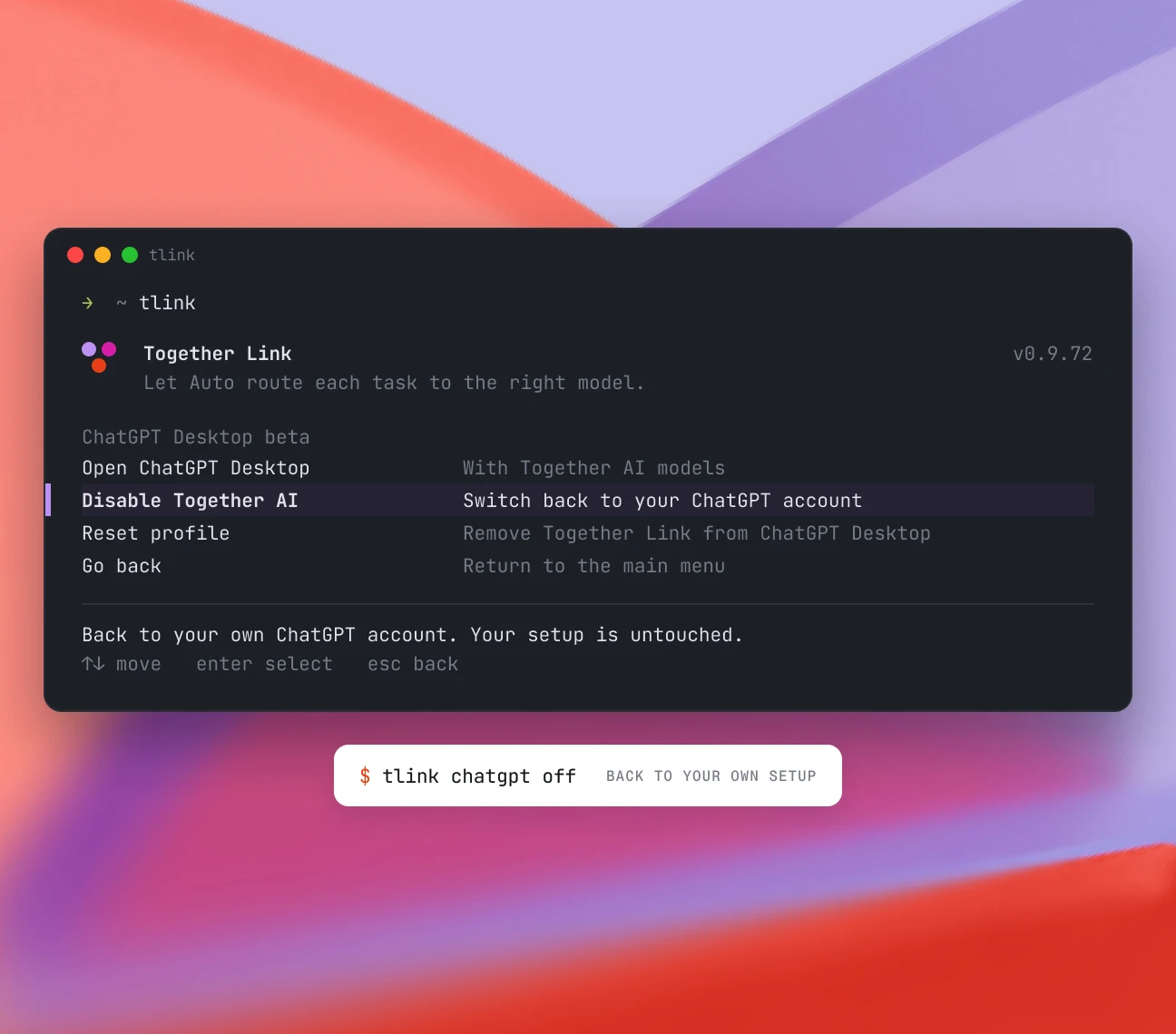
One command opens the ChatGPT desktop app on a separate Together Link profile. Turn it off with togetherlink chatgpt off.
What you keep
Your normal ChatGPT account and chats
Your original ~/.codex settings
Your projects, carried into the new profile

Codex
One command adds Together as a provider in the Codex CLI, on its own profile. Turn it off with togetherlink codex off.
What you keep
Your ChatGPT sign-in and Codex plan
Your ~/.codex config, AGENTS.md, and history
Your sandbox and approval settings

OpenCode
OpenCode already supports Together. One command adds your key and the router, so every open model lands in its model list.
What you keep
Your opencode.json config and themes
Your sessions, agents, and custom commands
Your other providers, side by side

Pi
One command registers Together in Pi’s model list, so you can cycle between open models mid-session without leaving the terminal.
What you keep
Your ~/.pi settings and extensions
Your session history and branches
Your other providers and API keys
Together Link FAQ
Longer answers live in the docs, which your agent can read on its own.
What is Together Link?
Together Link is a free, open-source tool that connects your coding agent, like Claude Code or Codex, to open models on Together AI, including Kimi K3, GLM 5.3, MiniMax M3, and DeepSeek V4.1 Flash. You pay only for model usage at Together AI's per-token rates.
Which coding agents does Together Link work with?
Claude Code, Claude Desktop, Codex, ChatGPT Desktop, OpenCode (version 2+), and Pi (version 0.80.8+). Each launches with its own command, such as `togetherlink claude`.
What do I need to get started with Together Link?
A Together AI API key, macOS or Linux, and a supported coding agent. Install with `curl -fsSL https://link.together.ai/install | bash`, then run `togetherlink configure` to add your key.
How does Together Link's auto router choose a model?
The router reads the first task in each session and sends quick work to a low-cost model and hard problems to a more capable one. With an Anthropic API key in Claude Code or Claude Desktop, it routes between Opus 5.5 and GLM 5.3.
Does Together Link change my existing Claude Code or Codex settings?
No. Terminal agents get settings that last only for that session. Claude Desktop and ChatGPT Desktop use a separate profile, and `togetherlink claude-desktop off` or `togetherlink chatgpt off` switches back.
How much can I save with Together Link, and how do I track spending?
Together Link cuts coding agent spend by 50-80% compared with running every session on Opus 5.5. Each session prints a cost receipt when you exit, and `togetherlink usage` shows your running total.